Business · Analysis & Valuation

Installment Sale Repossession Calculator

Short answer: What does the Installment Sale Repossession Calculator calculate?

The Installment Sale Repossession Calculator works out taxable gain on repossession, profit cap (Limit) and payments received. Estimate the taxable gain when you repossess real property you sold on an installment basis (IRC §1038). You enter original gross profit on sale, gain already reported, payments received before repossession and repossession costs, and results update as you type.

Updated · Applies to the United States (US rules, USD)

  • Free to use here · embed on the Business plan
  • 4 inputs · 4 results
  • Works in 6 languages
  • Uses US rules and USD

Try the Installment Sale Repossession Calculator

See the gain on repossession — results update as you type.

See all 12 themes
Theme
Mode

Ledger · Free on every plan · The classic CalcFunnel card: gradient results header, clean panels.

Loads from app.calcfunnel.com when you scroll here.

Estimates only — not a loan offer or financial advice. Switch theme and light/dark above to see how it could look on your site.

Put this calculator on your website

What this calculator does

What the Installment Sale Repossession calculator works out

The Installment Sale Repossession Calculator is a free, embeddable calculator from CalcFunnel. Estimate the taxable gain when you repossess real property you sold on an installment basis (IRC §1038).

You enter 4 inputs: original gross profit on sale, gain already reported, payments received before repossession and repossession costs.

It returns taxable gain on repossession, profit cap (Limit), payments received and gain before limit.

Built for business lenders, SBA brokers and accountants. Embedding it on your own website needs the Business plan (from $210/month, with a 14-day free trial), which unlocks the Business category.

Results it shows

  1. 01Taxable Gain on Repossession
  2. 02Profit Cap (Limit)
  3. 03Payments Received
  4. 04Gain Before Limit

The first figure — taxable gain on repossession — is the headline result.

Inputs

What you can change

Every field visitors can adjust, straight from the calculator, with the same help text they see on the info icon. Each one starts with a sensible default, and the 4 results update as they type.

Installment Sale

Original Gross Profit on Sale
The total gain you would have reported across all installment payments (selling price minus adjusted basis and selling expenses).
Gain Already Reported
Installment-sale gain you already included in income in prior years.

Repossession

Payments Received Before Repossession
Total payments on the sale price (principal, not interest) you received before repossessing, including any down payment.
Repossession Costs
Legal and other costs of repossessing the property.

Definitions

Installment Sale Repossession terms, defined

The terms this calculator uses, in plain words. The same definitions appear inside the calculator for your visitors.

Taxable gain on repossession
The gain a seller reports when taking back real property sold on installment terms. Under IRC §1038, as this calculator applies it, it equals payments received before repossession minus gain already reported, but no more than the profit cap. It is taxed with the same character as the original sale gain.
Installment sale
A sale in which at least one payment is received after the tax year of the sale, often with the seller financing the buyer. Instead of reporting the whole gain at once, the seller reports a share of each principal payment as gain. Repossession happens when the buyer defaults and the seller takes the property back.
IRC §1038
The section of the Internal Revenue Code that governs repossession of real property the seller had financed. It limits the gain recognized on taking the property back and generally means no loss is deductible and bad-debt deductions are restricted. Repossessions of personal property follow different rules and are not covered by this calculator.
Gross profit
The total gain on the original sale: selling price minus the property’s adjusted basis and selling expenses. It is the gain you would have reported over all installment payments if the buyer had paid in full. It is the starting point for the profit cap that limits the taxable gain on repossession.
Adjusted basis
Your tax investment in the property: generally the original cost plus capital improvements, minus depreciation claimed and certain other reductions. It is subtracted from the selling price to find the gross profit. A lower adjusted basis, for example after years of depreciation on a rental, means a larger gross profit.
Gain already reported
The portion of the installment-sale gain you included in income in earlier tax years, typically from each principal payment received. It is subtracted twice in this calculation: from the payments received, so the same gain is not taxed again, and from the gross profit when setting the cap.
Payments received
All payments on the selling price collected before the repossession, including any down payment — principal only, not interest, which is taxed separately as ordinary interest income. Payments received minus gain already reported gives the gain before the limit, the figure the profit cap may reduce.
Profit cap
The ceiling on the taxable gain under §1038: original gross profit minus gain already reported minus repossession costs. If the gain before the limit is higher, only the cap is taxed. For example, $80,000 gross profit, $20,000 reported and $5,000 of costs gives a $55,000 cap.
Repossession costs
Legal fees, court costs, recording fees and similar expenses you pay to take the property back. They reduce the profit cap dollar for dollar, which can lower the taxable gain. They are also generally added to your basis in the repossessed property, along with the remaining installment obligation’s basis.

For your website

How it looks on your site

Put the Installment Sale Repossession Calculator on your own site with your colors, copy and lead form, in whichever of these five ways suits the page. Every calculation can arrive in your CRM with the numbers attached.

Works on WordPress, Wix, Squarespace, Webflow, Shopify, GoHighLevel and plain HTML — paste one line into an HTML or code block. No plugin needed.

  • Inline, without an iframe

    Paste the snippet where the Installment Sale Repossession Calculator should appear. It renders into your page, fills the width of its container and grows to fit.

    Best for: Landing pages, blog posts, calculator pages

  • Popup button

    A button sits on your page; one click opens the calculator in a popup over it.

    Best for: Pricing sections, hero areas, listings

  • Floating corner widget

    Paste once (or in your site-wide footer code) for a floating bubble in the corner of every page.

    Best for: Site-wide, always one click away

  • Your own link or button

    Give any existing link, button or image a class and it opens the calculator when clicked.

    Best for: Menus, images, in-text links

  • Direct link

    A full-page link to the calculator for emails, social posts, QR codes or a menu item.

    Best for: Email, social, print, QR codes

Start free How embedding works

Free plan, no card. 14-day trial on Pro & Business.

Widgets

Use it in a widget

Group the Installment Sale Repossession Calculator with up to 11 other calculators in one widget: a floating launcher, tabs, a row of buttons or a card grid. Widgets per plan: Free 1, Pro 10, Business unlimited.

  • Floating launcher widget, Classic bubble design: Round launcher with a soft pulse and a clean list.

    Floating launcher

    A bubble in the corner of every page opens a menu of your calculators.

    6 ready-made designs
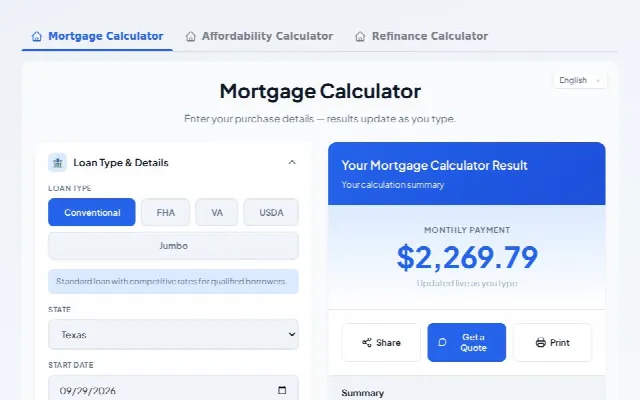
  • Tabs widget, Underline design: Text tabs with an animated underline.

    Tabs

    Calculators side by side in one block on the page, switched with tabs.

    6 ready-made designs
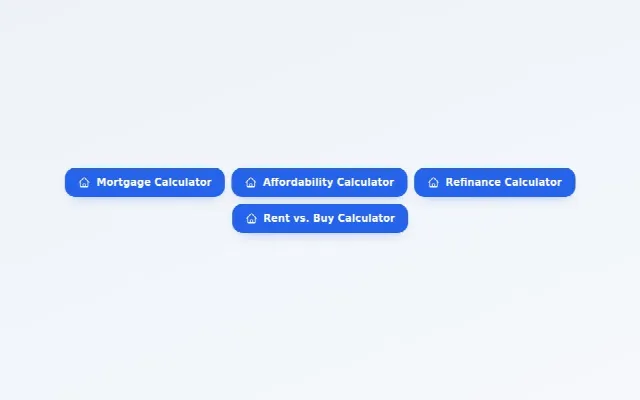
  • Buttons widget, Solid design: Filled buttons in your brand color.

    Buttons

    A row of buttons; each one opens its calculator in a popup.

    6 ready-made designs
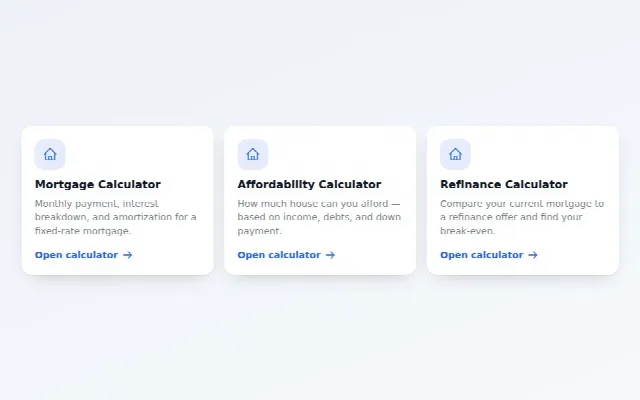
  • Cards grid widget, Elevated design: White cards with a soft shadow and lift.

    Cards grid

    A grid of cards with an icon and a short blurb; click to open the calculator.

    6 ready-made designs

See every widget design

FAQ

Installment Sale Repossession calculator FAQs

Still stuck? Ask the team — we reply within one business day.

Q.01What does the Installment Sale Repossession Calculator calculate?
Estimate the taxable gain when you repossess real property you sold on an installment basis (IRC §1038). It returns taxable gain on repossession, profit cap (Limit), payments received and gain before limit.
Q.02What information do I need to use the Installment Sale Repossession Calculator?
You enter 4 inputs: original gross profit on sale, gain already reported, payments received before repossession and repossession costs. Every input starts with a sensible default, so you can change only what you know.
Q.03What does “Original Gross Profit on Sale” mean in the Installment Sale Repossession Calculator?
The total gain you would have reported across all installment payments (selling price minus adjusted basis and selling expenses).
Q.04What does “Gain Already Reported” mean in the Installment Sale Repossession Calculator?
Installment-sale gain you already included in income in prior years.
Q.05Is the Installment Sale Repossession Calculator free to use?
Yes — you can use it on this page for free, without an account. Embedding it on your own website needs the Business plan (from $210/month, with a 14-day free trial), which unlocks the Business category. Compare plans.
Q.06Can I embed the Installment Sale Repossession Calculator on my website?
Yes. Embed it inline, as a popup button, as a floating corner widget, from your own link or button, or share a direct link. It works on WordPress, Wix, Squarespace, Webflow, Shopify, GoHighLevel and plain HTML sites with one line of code — see embedding.
Q.07Can I change how the Installment Sale Repossession Calculator looks?
Yes. Choose from 12 themes, each in light and dark, then set your own brand colors and font. Ledger, Minimal, Compact come with every plan; the others unlock on Pro and Business.
Q.08Is the Installment Sale Repossession Calculator available in other languages?
Yes. It works in English, Spanish, Simplified Chinese, Korean, Vietnamese and Arabic, with a right-to-left layout in Arabic. Labels, tooltips, results and definitions are translated, visitors can switch language inside the calculator, and amounts stay in US dollars and US number format.
Q.09Can the calculator capture leads?
Yes. It can end with a lead form, a Get a Quote form, a Share panel or a button to any URL. Leads are saved with the inputs and results attached and can be forwarded to your CRM by webhook.
Q.10Are the Installment Sale Repossession results financial advice?
No. Estimates only, for real property under IRC §1038. Taxable gain equals payments received before repossession minus gain already reported, capped by the original gross profit less gain reported less repossession costs. Personal-property rules differ. Consult a tax professional.

Related business calculators

All 12 in Business

Your website does the math. You get the lead.

The Installment Sale Repossession Calculator is one of 208 calculators you can brand and embed with one line of code.

  • Free plan, no card
  • 14-day trial on Pro & Business
  • Cancel any time